

Traderline is a free trading platform for Betfair Exchange and Polymarket, featuring ladder trading, charting, and advanced trading tools.
What Is Traderline?
Traderline is a trading platform designed for exchange and prediction market traders. Originally focused on Betfair Exchange, the software has expanded significantly and now offers dedicated applications for both Betfair and Polymarket.
It includes many of the features active traders expect from specialist software, such as ladder trading, charting, Dutching, Bookmaking, and advanced order management. The software is available for Windows and macOS, with an additional iOS version for Betfair users.
What makes Traderline particularly interesting in 2026 is that it’s completely free. While comparable trading software often requires a subscription, Traderline can be downloaded and used at no cost.
To evaluate the platform properly, I tested both versions across a range of markets on Betfair and Polymarket.

Why Use Traderline?
-
Trade Betfair & Polymarket
Access both traditional betting exchanges and prediction markets through a familiar trading interface.
-
Professional Trading Tools
Use ladder trading, charting, Dutching, Bookmaking, and advanced order types from a single platform.
-
Highly Customisable
Configure layouts, stake presets, hotkeys, charts, and trading preferences to suit your workflow.
-
Built-In Market Analysis
View market depth, traded volume, price movements, lineups, and performance data without leaving the platform.
-
Completely Free
Many comparable trading platforms require a subscription, whereas Traderline is available at no cost.
Operator Profile
Company
Mythical Technologies, Lda (Registered in Portugal)
Established
2011 (Traderline)
Website
Languages
English, Portuguese, Italian, Spanish
Why Do Traders Use Software?
Many exchange and prediction market traders eventually move beyond the standard website interface offered by Betfair or Polymarket.
Specialist trading software is designed to make market navigation faster and provide additional tools that are difficult or impossible to access through a browser alone.
The benefits include:
- Ladder trading interfaces
- One-click order placement
- Real-time profit and loss tracking
- Advanced charting and price analysis
- Dutching and bookmaking tools
- Customisable layouts and workspaces
- Keyboard shortcuts and hotkeys
- Faster navigation between markets
For casual bettors, these features may not be essential. However, active traders often value the additional speed, flexibility, and market visibility that specialist software provides.
Key Features
While the headline attraction is that Traderline is now completely free, the platform also includes many of the features traders would normally expect from paid software. Below are the areas that stood out most during my testing.
Interface & Trading Views
One of Traderline’s strengths is the range of trading views available. Users can switch between traditional ladder trading, grid-based market displays, Dutching screens, and Bookmaking views depending on how they prefer to analyse and trade markets.
The Betfair version in particular feels familiar to anyone who has previously used dedicated exchange software. Markets can be viewed side-by-side, runners can be monitored simultaneously, and stake buttons are positioned for quick execution.
During testing, I found it easy to switch between ladder, grid, Dutching, and Bookmaking views depending on the market and task at hand.

Charting & Market Analysis
Traderline includes integrated charting tools that allow traders to monitor price movements without relying on external software.
During testing, I found support for multiple timeframes, moving averages, traded volume analysis, spread indicators, and technical overlays such as MACD. The charts are geared towards practical market monitoring rather than deep historical analysis, but should provide everything most traders need.
Another useful feature is the ability to view market percentages and liquidity directly alongside the charts, helping traders understand how prices are evolving over time.

Advanced Trading Tools
Traderline includes several tools designed for more active users.
The platform supports Dutching and Bookmaking views, allowing users to distribute stakes across multiple selections or construct positions across an entire market.
I also found support for various order types and execution options, including Good Till Cancelled (GTC), Fill Or Kill (FOK), and Fill And Kill (FAK) orders, alongside features such as stop loss controls, tick offsets, and hedge-related settings.
While casual users may never touch these tools, experienced exchange traders will likely appreciate having them available.

Market Information & Research
Traderline isn’t just focused on order entry.
The platform also integrates useful market information directly into the trading interface, reducing the need to constantly switch between external websites and trading screens. For example, football markets can display lineups, formations, managers, and other match-related data directly within the software.
I also found dedicated sections for futures markets and long-term events, making it easier to browse beyond standard match odds markets.
The home page provides a useful overview of available opportunities across sports, politics, finance, crypto, and other categories, particularly within the Polymarket application.
It’s worth noting that Polymarket availability varies by jurisdiction, so users should check local regulations and platform eligibility requirements before opening an account.

Customisation & Usability
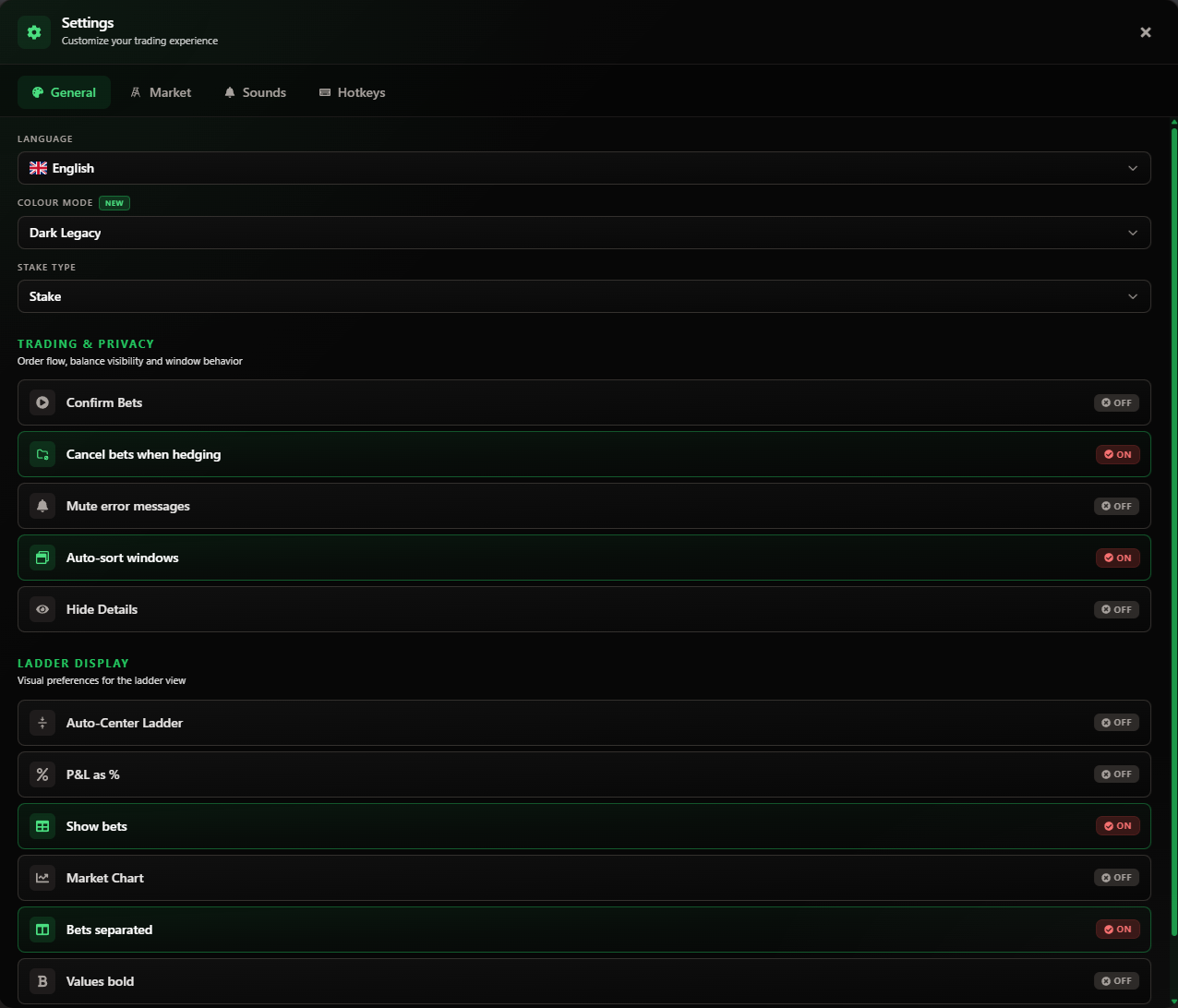
Another area where Traderline performs well is customisation.
During testing, I found extensive configuration options covering:
- Stake presets
- Hotkeys
- Ladder sizing
- Chart preferences
- Window management
- Order behaviour
- Language selection
- Market display options
This level of flexibility allows traders to tailor the workspace to their own preferences rather than being locked into a single layout.
The interface is generally straightforward to navigate, although I did encounter a minor usability issue when applying filters on the Polymarket home page. Selecting a filter with no matching markets can leave the screen appearing empty until the filter is manually cleared. It’s not a major problem, but it briefly caught me out during testing.
Pricing
Traderline is completely free to use.
Historically, specialist trading software has often required a monthly subscription or licence fee. Traderline takes a different approach, offering both its Betfair and Polymarket platforms at no cost.
For traders curious about specialist trading software, this removes much of the financial commitment normally associated with getting started.
Positives of Traderline
Traderline offers a strong range of trading tools while remaining completely free to use. Here are the areas that stood out most during my testing.
Completely Free
The biggest attraction is obvious. Traderline provides a feature set that would traditionally require a paid subscription, yet both the Betfair and Polymarket versions are now available free of charge.
Supports Betfair & Polymarket
Most trading software focuses on a single exchange. Traderline is unusual in supporting both traditional betting exchange markets and modern prediction markets through a broadly similar interface.
Strong Range of Trading Tools
Ladder trading, charting, Dutching, Bookmaking, advanced order management, market analysis, and workspace customisation are all included as standard.
Highly Configurable
From stake presets and hotkeys through to chart settings and window layouts, Traderline offers enough flexibility to suit both casual users and more experienced traders.
Active Development
The platform continues to receive regular updates and feature releases, particularly around the Polymarket integration.
Negatives of Traderline
While my overall experience was positive, there are a few minor drawbacks worth considering.
Learning Curve For Beginners
Like most specialist trading software, Traderline can initially feel overwhelming if you’ve only ever used traditional sportsbook interfaces.
Polymarket Setup Takes Longer
The Betfair version can be accessed almost immediately, whereas Polymarket requires users to connect their account via a private key before accessing markets. Setup is only required once, but is slightly more involved.
Minor Navigation Quirks
During testing, I occasionally found myself wondering why markets had disappeared before realising a filter was still active. It’s a small issue, but something new users may encounter.
Is Traderline Worth It?
Traderline impressed me more than I expected.
While the fact that it’s free will inevitably attract attention, the software itself is what ultimately stands out. During testing, both the Betfair and Polymarket versions felt mature, highly configurable, and packed with features that would not feel out of place in a paid trading platform.
Whether you’re interested in traditional betting exchanges, prediction markets, or simply want a more advanced trading interface than a standard website can provide, Traderline offers a compelling package.
Ready to try it yourself? Visit Traderline to see how the platform works in real time.
How to Get Started
-
1. Download Traderline
Choose either the Betfair or Polymarket version from the download page.
-
2. Install & Open
Run the installer and launch the software.
-
3. Connect Your Account
Log in with your Betfair credentials or connect your Polymarket account.
-
4. Start Trading
Access ladders, charts, and markets immediately.
Note: Polymarket users will need to connect their account using a private key before accessing markets.
Traderline FAQ
Yes. Traderline is currently available free of charge for both Betfair and Polymarket users.
Yes. Traderline offers dedicated applications for both Betfair Exchange and Polymarket, allowing users to trade each platform through a professional trading interface.
Traderline is available for Windows and macOS, with an additional iOS version available for Betfair users.
While beginners can use Traderline, the software includes many advanced trading features and may require a short learning period compared to a traditional sportsbook interface.
For many users, yes. Traderline includes features such as ladder trading, charting, advanced order management, Dutching, and Bookmaking tools, while remaining completely free to use.

- What Is Scalping On Betting Exchanges? Does It Work? - October 12, 2026
- Best Betting Brokers 2026 | Top Sports Betting Agents - October 12, 2026
- AsianConnect Review|Safe Access To Bookmakers & Exchanges [2026] - October 11, 2026